**TEALS Program**
Home |
Curriculum Map |
Additional Readings |
Discussions |
Change Log
# Alternate Project 1: Magic Square
Created by Brian Weinfeld
Using Python, you will use variables, input, and casting to create a Magic Square.
## Overview
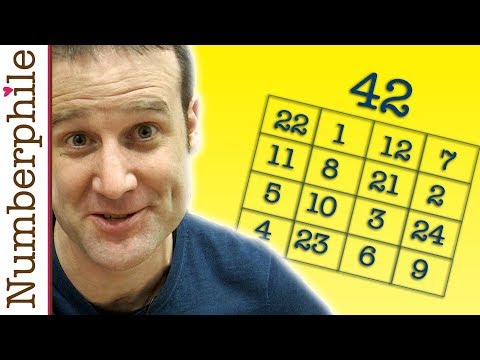
Pick a number from 21-65. __42__, you say? OK! Check this out!
```python
22 01 12 07
11 08 21 02
05 10 03 24
04 23 06 09
```
If you add up all the numbers in each row, they total 42. (22 + 1 + 12 + 7 = 11 + 8 + 21 + 2 = 42)
If you add up all the numbers in each column, they total 42. (22 + 11 + 5 + 4 = 1 + 8 + 10 + 23 = 42)
If you add up all the numbers in each diagonal, they total 42. (22 + 8 + 3 + 9 = 7 + 21 + 10 + 4 = 42)
It is the same for each of the four corners, and each 2x2 block as well. (22 + 4 + 9 + 7 = 42)
This is called a __Magic Square__ and for this project, you are going to create a program that lets users select a number and create a magic square from that number.
## Details
### Behavior
```python
Welcome to Magic Square
Enter a number from 21 to 65: 42
You have entered 42
Here is your Magic Square:
22 01 12 07
11 08 21 02
05 10 03 24
04 23 06 09
```
### Implementation Details
Believe it or not, Magic Squares are not difficult to make! Watch the following video to see how to make a Magic Square for any given number:
[](https://www.youtube.com/watch?v=aQxCnmhqZko)
### Challenge
This section contains additional components you can add to the project. These should only be attempted __after__ the project has been completed.
* What happens if the user enters a number outside the range of 21-65? Try to check for this and print an error message!
* What happens if the user doesn't enter a number at all and enters a word instead? Try to check for this and print an error message!
* Build a Magic Square with a small number like 22. The Magic Square isn't aligned properly and hard to read. Try to fix this!